Pet Society // Rare Items


Click here to enter the most awesome site on the Internet

Click to Be a FAN and get the latest cheats around the world!


By entering this site you are agreeing to be bound by the terms of this Disclaimer. -Legal Counsel of www.pwnthis.net


----------------------------
Credits: nofil2000
Important. Read First:
The use of this cheat allows you to purchase UNIQUE, Not seen in shops Wallpapers and Items such as Stadium wallpaper, Secret Garden wallpaper and many more. You can even purchase the Cash Register :O
Although the cheat is working now, we cannot confirm that it will still be working in the future. Use of cheat MAY result in Game Error that cannot be fixed. Use at your own RISK.  

This cheat just spells "I AM A CHEATER" to everyone as these items cannot be purchased ever.

Tools (download all tools in the Tools section):
 Steps:
  1. Log into your Secondary Account. 
  2. Download the file above.
  3. Open Fiddler
  4. Go into Pet Society. Once loaded, find for this line in Fiddler.
    http://d2syub29v5lge2.cloudfront.net/game/pets/swf/xxx/database.dat
  5. Right click them > Copy URL and go to Autoresponder and click 'Add'. Or you can use the regular expression that I used in all my videos

    regex:(?insx)^http://d2syub29v5lge2\.cloudfront\.net/game/pets/swf/.*/database\.dat$

  6. Now replace the database.dat with the database.dat that you just downloaded. Click SAVE
    (Click on the drop down arrow button beside the 'Save'. Select 'Go To File' and browse to the place where you downloaded the file to.)
  7. Find for this line in Fiddler.
    http://d2syub29v5lge2.cloudfront.net/game/pets/swf/x.xxx/shops/shopFood2102.dat

  8. Right click them > Copy URL and go to Autoresponder and click 'Add'. Or you can use the regular expression that I used in all my videos. 

    regex:(?insx)^http://d2syub29v5lge2\.cloudfront\.net/game/pets/swf/.*/shops/shopFood2102\.dat$

  9. Now replace the database.dat with the shopFood.dat that you just downloaded. Click SAVE.
    (Click on the drop down arrow button beside the 'Save'. Select 'Go To File' and browse to the place where you downloaded the file to.)

  10. Clear cache for your browser.
  11. Clear cache for your browser! i cannot emphasize this enough. Go into Pet Society.
  12. Go into the Food Shop and you will see all the weird, queer items.
  13. Select your other Account to give it to.
  14. Once done, Close fidder, clear cache log in your Main/primary account and you will see the Presents shown as MYSTERY BOXES. 
  15. Open them and the Rare Items appear. Have fun. 

Cafe World // Free 2600 VIP dishes


Click here to enter the most awesome site on the Internet

Click to Be a FAN and get the latest cheats around the world!


By entering this site you are agreeing to be bound by the terms of this Disclaimer. -Legal Counsel of www.pwnthis.net


----------------------------
Credits: André Andersson
Source: Justin

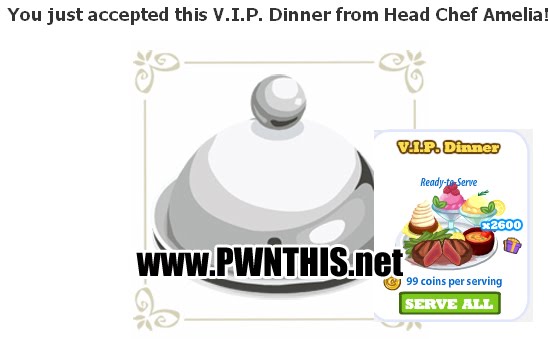
Click on the links to get all 2600 VIP dishes worth 99 coins each.
Also don't forget to collect your Cafe Cash if you have not. [Link]

01 02 03 04 05 06 07
08 09 10 11 12 13

Farmville // Free FarmvilleCash


Click here to enter the most awesome site on the Internet

Click to Be a FAN and get the latest cheats around the world!


By entering this site you are agreeing to be bound by the terms of this Disclaimer. -Legal Counsel of www.pwnthis.net


----------------------------
Click on image to claim your prize. Works ONCE. Log into Facebook first.
Credits: addubhai@pwnthis


Pet Society // Latest MB Database


Click here to enter the most awesome site on the Internet

Click to Be a FAN and get the latest cheats around the world!


By entering this site you are agreeing to be bound by the terms of this Disclaimer. -Legal Counsel of www.pwnthis.net


----------------------------
Database by: xianyamm@pwnthis

Tools (download all tools in the Tools section):
  • Fiddler
  • IE/Chrome/Firefox (need to force traffic to firefox)
  • Latest database [download1| download2 ]

Steps:
  1. Open Fiddler 
  2. Click 'Clear cache' if this is not your first time using Fiddler. Try to clear your browser cache too.
  3. Go into Pet Society
  4. In Fiddler, search for this line '/game/pets/swf/X.X.X/shops/shopFoodXXXX.dat  (the X are digits that changes every update)
  5. Right click this line, copy > just url
  6. Go to Autoresponder
  7. Click Add
  8. The url that you copied will appear.
  9. Now click on the arrow at the bottom besides the Save button
  10. Select 'Find a File' and browse for the database that you've just downloaded from me
    "ShopFood-latestGMB.xml.Dat"
  11. Click Save
  12. Click Clear Cache and refresh your Pet Society
  13. Enter the Food Shop, Click GROCERY tab at the bottom   and you should see all the latest Items. Have fun!

Restaurant City // Revival of Old Items


Click here to enter the most awesome site on the Internet

Click to Be a FAN and get the latest cheats around the world!


By entering this site you are agreeing to be bound by the terms of this Disclaimer. -Legal Counsel of www.pwnthis.net


----------------------------
Credits: Cbox - fREE2SW4U
Important Note: There is always a risk in cheating and if you cannot afford to take this risk, do NOT cheat. Before asking questions about the cheat, read the comments first to prevent asking the same questions. 

Tools (download all tools in the Tools section):
Steps:
  1. Download the 'Edited .bin files' above and extract them to your Desktop 
  2. Clear Browser Cache  <--- If you dont see the files appearing in Fiddler, Clear Cache in browser!
  3. Open Fiddler
  4. Load Restaurant City [click to play]
  5. Once loaded, look in Fiddler for this 2 lines
  6. /game/cooking/swf/0.x.xxxx/front.bin   (xxxx is the database version)
    /game/cooking/swf/0.x.xxxx/restaurant.bin
  7. Right click each line, select Copy > Just URL
  8. In Autoresponder, you should untick all other URLs first.
  9. Click ADD to insert the 2 new URL that you have just copied.
  10. Click on the ▼ button beside the 'Save' button
  11. Select browse to file and select the downloaded front.bin to replace the original front.bin
  12. Do the same for restaurant.bin
  13. Click Save each time. 
  14. Clear cache, Remove all in Fiddler
  15. Clear cache in your browse and refresh Restaurant City
  16. Once loaded, you should now see OLD items such as the easter eggs or Blue arcade machine.

    You will also see all the trophies. Trophies CANNOT be bought as it will disappear on refresh.